










WP Content

  • Business
  • Community
  • Development
  • Plugins
  • Security
  • Tutorials
  • Login
Trending now

How Long Before Google Index a New Website & Page?

Honest WooCommerce Review: Still Worth It in 2026? 🛒

Honest Jetpack Review: Still Worth It in 2026?

ActiveCampaign vs GetResponse (2026): Which Is Better for SME Growth?

Aligning Website UX With CRM Segments For Smarter Marketing

Best WordPress.com Themes for Minimalist Creators 2026

MeetEdgar Review 2026: Content Recycling King? 👑

Category: Tutorials

4
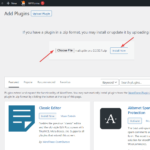
6 Easy Steps to Move Your Site from WordPress.com to WordPress.org

6 Easy Steps to Move Your Site from WordPress.com to WordPress.org dokan.co

Shams Sumon 3 years ago in Tutorials 0
3
How to Display WooCommerce Products on Homepage or Any Other Page

How to Display WooCommerce Products on Homepage or Any Other Page wedevs.com

Shams Sumon 3 years ago in Tutorials 0
1
How to Get Elementor Pro License Key

How to Get Elementor Pro License Key bloggingunplugged.com

Jasmeet Singh Jasmeet Singh 3 years ago in Tutorials 0
1
How to Add a Text Field to a WooCommerce Product Page: Step-by-Step

How to Add a Text Field to a WooCommerce Product Page: Step-by-Step barn2.com

Keza Marie Enriquez Keza Marie Enriquez 3 years ago in Tutorials 0
2

7 Ways to Create the Best Checkout Experience for Customers iconicwp.com

Gina Lucia 3 years ago in Tutorials 0
1
How to Make a Food Ordering Website in 2023

How to Make a Food Ordering Website in 2023 orderable.com

Gina Lucia 3 years ago in Tutorials 0
3
How to Detect AdBlock Users in WordPress

How to Detect AdBlock Users in WordPress profilepress.com

w3guy w3guy 3 years ago in Tutorials 0
1
WordPress Blog Templates | Best Blog Tips – SecureITpress

WordPress Blog Templates | Best Blog Tips – SecureITpress securitpress.io

Nathan Baldwin Nathan Baldwin 3 years ago in Tutorials 0
1
How to Show Posts with Specific Criteria – P1 – Using Meta Box and Bricks

How to Show Posts with Specific Criteria – P1 – Using Meta Box and Bricks metabox.io

Meta Box Meta Box 3 years ago in Tutorials 0
1
How to Send Notifications for Back-in-Stock Products in WooCommerce

How to Send Notifications for Back-in-Stock Products in WooCommerce flownotify.com

Rosie Gatensbury 3 years ago in Tutorials 0
Page 142 of 332« First«...102030...140141142143144...150160170...»Last »

Recent

  • How Long Before Google Index a New Website & Page?

    How Long Before Google Index a New Website & Page? crawlwp.com

  • Honest WooCommerce Review: Still Worth It in 2026? 🛒

    Honest WooCommerce Review: Still Worth It in 2026? 🛒 blogrecode.com

  • Honest Jetpack Review: Still Worth It in 2026?

    Honest Jetpack Review: Still Worth It in 2026? blogrecode.com

  • ActiveCampaign vs GetResponse (2026): Which Is Better for SME Growth?

    ActiveCampaign vs GetResponse (2026): Which Is Better for SME Growth? blogrecode.com

  • Aligning Website UX With CRM Segments For Smarter Marketing

    Aligning Website UX With CRM Segments For Smarter Marketing wpwebify.com

Recent Comments

  • Sanjay Joshi on How to Remove WordPress Sidebar On Any Website In a Minute – UnlimitedWP
  • Kuyhaa` Cracks on How to Thrive as a WordPress Freelancer – The WP Minute
  • Kuyhaa` Cracks on How to Thrive as a WordPress Freelancer – The WP Minute
  • Hazel White on How to Create a Dating Site (In 6 Steps)
  • Menulis Buku on How to Create an eLearning Website in WordPress (With Examples)

✉️ Get the most popular articles in your inbox every week!

WP Content

WordPress news and articles from the WordPress community.

Proudly powered by WordPress.
Hosted with SpinupWP.

Discover
  • Business
  • Community
  • Development
  • Editorials
  • Plugins
  • Security
  • Tutorials
WP Content
  • Submit Article
  • Recent Articles
  • Newsletter
  • RSS Feed
  • About
  • Contact
Projects
  • Intagrate
  • Pressing Matters
  • WP App Store
  • WP User Manager

© 2026 WP Content. All rights reserved.
  • Terms
  • Privacy
Login Register

Login

Login with Facebook Login with Twitter Lost Password

Register

Login with Facebook Login with Twitter Lost Password