WP Content

  • Business
  • Community
  • Development
  • Plugins
  • Security
  • Tutorials
  • Login
Trending now

WordPress User Roles and Permissions Explained (2026)

Membership Website Design: The Pages Your Site Needs

A critical PHP fix, WordPress 7.2 Beta 1, Notes in the margin, and more—Weekend Edition ...

Bait-and-Switch Freemium: How WordPress Plugins Burn Trust in the Free Version

WordPress Contributor Toolkit 2.0: A redesigned app, in your language

Bait-and-Switch Freemium: How WordPress Plugins Burn Trust in the Free Version

Attacks on PHP2Shell Continue, But No Known Compromises as a Result Yet

New Benchmarks Find AI Agents Overlook WordPress and Can’t Complete Tasks via the Official MCP ...

WordPress AI Team Moves to Make MCP a Default Part of WordPress, With 7.3 Floated ...

WordPress 7.2 Beta 1 is Ready for Download and Testing

How to Import Instagram Videos to WordPress (Reels Too) intagrate.io

6
Iain 3 weeks ago in Tutorials 0

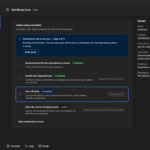
To import Instagram videos to WordPress automatically, connect your Instagram account to Intagrate Pro, tick Save Instagram Media to Media Library, and add the video shortcode to the account’s template. Each new video or Reel then becomes a WordPress post, with the video file in your media library, playing in WordPress’s own video player, and its cover image as the featured image. This guide covers the settings that matter for video, carousels that mix photos and videos, and what to check when a video import stalls or a post is left as a draft.

If you only want to show one Reel on one page, you don’t need to import anything: embed it with Instagram’s embed code instead. Importing is for putting your own videos on your site as they’re posted, as content you keep.

Read the full article on Intagrate

  • Facebook
  • Twitter
  • Pinterest
voters
  • Iain
  • Ashley Rich
  • Jack McConnell
  • Ram Ratan Maurya
  • Gilbert Pellegrom
  • Tom Rankin
Report Article

Related Articles

  1. WordPress User Roles and Permissions Explained (2026)
  2. Conversion Rate Optimization Techniques for Your Multilingual Website – TranslatePress

Recent

  • A critical PHP fix, WordPress 7.2 Beta 1, Notes in the margin, and more—Weekend Edition 378

    A critical PHP fix, WordPress 7.2 Beta 1, Notes in... gutenbergtimes.com

  • Bait-and-Switch Freemium: How WordPress Plugins Burn Trust in the Free Version

    Bait-and-Switch Freemium: How WordPress Plugins Burn Trust in the Free... wpmayor.com

  • WordPress Contributor Toolkit 2.0: A redesigned app, in your language

    WordPress Contributor Toolkit 2.0: A redesigned app, in your language make.wordpress.org

  • Bait-and-Switch Freemium: How WordPress Plugins Burn Trust in the Free Version

    Bait-and-Switch Freemium: How WordPress Plugins Burn Trust in the Free... wpmayor.com

  • Attacks on PHP2Shell Continue, But No Known Compromises as a Result Yet

    Attacks on PHP2Shell Continue, But No Known Compromises as a... wordfence.com

Recent Comments

  • Kishor on Krom Automation Pro: Visual WordPress Workflow Automation Without Monthly Fees
  • Sanjay Joshi on How to Remove WordPress Sidebar On Any Website In a Minute – UnlimitedWP
  • ShadRabbir on How to Migrate Your WordPress Site to Another Host Without Losing Any Data
  • YayCommerce on How to Migrate Your WordPress Site to Another Host Without Losing Any Data
  • Golam Mostafa on How to Offload Your Media Files in WordPress

✉️ Get the most popular articles in your inbox every week!

WP Content

WordPress news and articles from the WordPress community.

Proudly powered by WordPress.
Hosted with SpinupWP.

Discover
  • Business
  • Community
  • Development
  • Editorials
  • Plugins
  • Security
  • Tutorials
WP Content
  • Submit Article
  • Recent Articles
  • Newsletter
  • RSS Feed
  • About
  • Contact
Projects
  • FlipWP
  • Intagrate
  • WP User Manager

© 2026 WP Content. All rights reserved.
  • Terms
  • Privacy
Login Register

Login

Login with Facebook Login with Twitter Lost Password

Register

Login with Facebook Login with Twitter Lost Password