WP Content

  • Business
  • Community
  • Development
  • Plugins
  • Security
  • Tutorials
  • Login
Trending now

How to Build a WordPress Membership Site with Elementor

WordPress Email Verification for New User Signups

What’s new for developers? (November 2026)

Introducing Mētis, Our New Flagship Theme

What’s new in Gutenberg 24.4? (12 November)

Copy Your WordPress Site with Reprint

PSA: Critical Apache HTTP/2 Vulnerability: What WordPress Site Owners Should Know

Kinsta now protects every WordPress site it hosts with Patchstack

WordPress 7.2 Beta 5 Resolves Known PHP 8.6 Issues, Adds Application Password Email Alerts

Per-Seat Pricing for WordPress Memberships, Explained

How to install and use Local by Flywheel to work on WordPress locally wpmarmite.com

1
Cynthia Castelletti 4 years ago in Tutorials 0

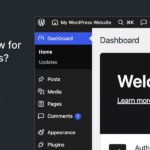
Local development means that your site is only available on your machine, and not on the Internet.
You can proceed to all the tests of your choice, and modify as you wish. Nobody will see what you do… except you.

It also allows you to test themes and plugins without risk.

The question is, how do you install WordPress locally, and with what tool (if possible, an easy one)?

The answer to this question can be found in the new WPMarmite blog post. We took a look at Local (formerly Local by Flywheel), and we tell you all about it:

  • Facebook
  • Twitter
  • Pinterest
voters
  • Cynthia Castelletti
Report Article

Related Articles

  1. How to Build a WordPress Membership Site with Elementor
  2. WordPress Email Verification for New User Signups

Recent

  • What’s new for developers? (November 2026)

    What’s new for developers? (November 2026) developer.wordpress.org

  • Introducing Mētis, Our New Flagship Theme

    Introducing Mētis, Our New Flagship Theme make.wordpress.org

  • What’s new in Gutenberg 24.4? (12 November)

    What’s new in Gutenberg 24.4? (12 November) make.wordpress.org

  • Copy Your WordPress Site with Reprint

    Copy Your WordPress Site with Reprint wordpress.org

  • How to Build a WordPress Membership Site with Elementor

    How to Build a WordPress Membership Site with Elementor wpusermanager.com

Recent Comments

  • Kishor on Krom Automation Pro: Visual WordPress Workflow Automation Without Monthly Fees
  • Sanjay Joshi on How to Remove WordPress Sidebar On Any Website In a Minute – UnlimitedWP
  • ShadRabbir on How to Migrate Your WordPress Site to Another Host Without Losing Any Data
  • YayCommerce on How to Migrate Your WordPress Site to Another Host Without Losing Any Data
  • Golam Mostafa on How to Offload Your Media Files in WordPress

✉️ Get the most popular articles in your inbox every week!

WP Content

WordPress news and articles from the WordPress community.

Proudly powered by WordPress.
Hosted with SpinupWP.

Discover
  • Business
  • Community
  • Development
  • Editorials
  • Plugins
  • Security
  • Tutorials
WP Content
  • Submit Article
  • Recent Articles
  • Newsletter
  • RSS Feed
  • About
  • Contact
Projects
  • FlipWP
  • Intagrate
  • WP User Manager

© 2026 WP Content. All rights reserved.
  • Terms
  • Privacy
Login Register

Login

Login with Facebook Login with Twitter Lost Password

Register

Login with Facebook Login with Twitter Lost Password